All posts by olih

LMS: cambridgelearn.com

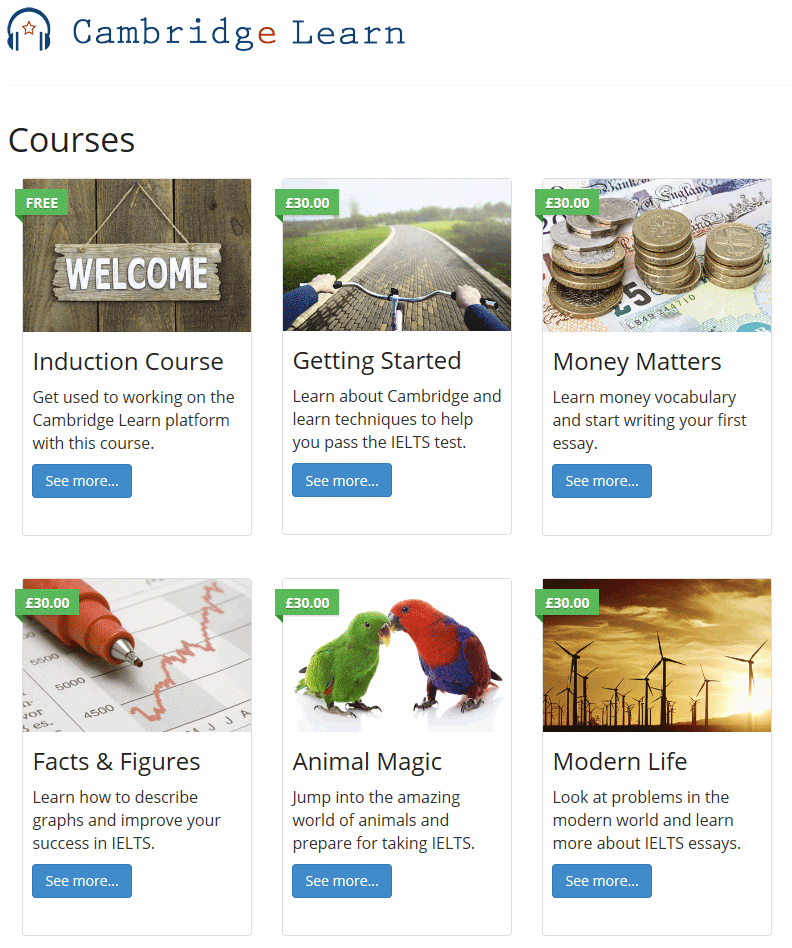
cambridgelearn.com is intended to help learners pass the IELTS (International English Language Testing System) test. It is the most highly developed LMS I have made in WordPress.

Course available on Cambridge Learn

It includes seven short courses which can be studied separately or as a whole. Each course consists of four lessons which each incorporate approx. 5-15 topics. Within a single course, users are able to study the lessons and topics in any order, giving learners greater control over their studies.

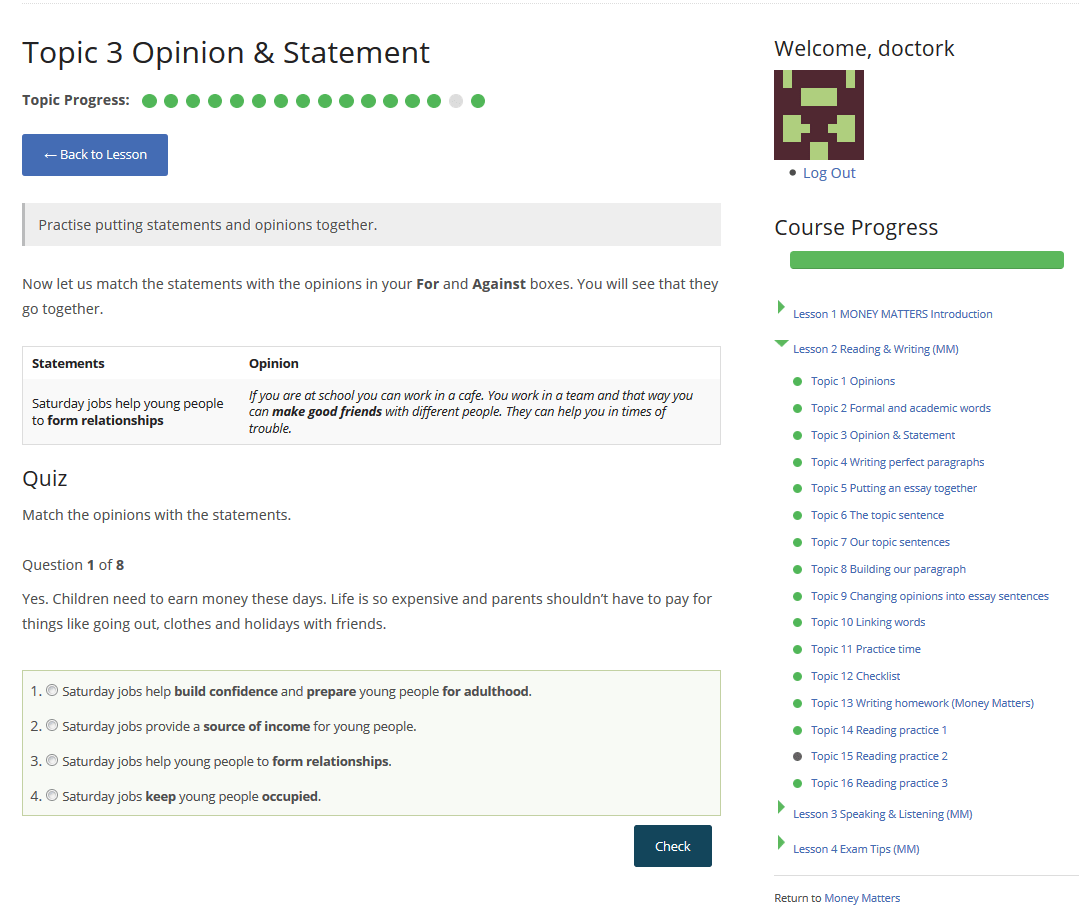
a typical topic
A topic page showing a quiz and course progress

The learning materials and experiences include:

  • text and images
  • video (embedded via Vimeo)
  • audio (embedded via Dropbox)
  • user-controlled animated slideshows (embedded via Google Drive/Slides)
  • over 150 quizzes
  • interactive learning objects (made in Xerte)
  • writing assignments (users submit/upload a written document)
  • speaking assignments (users record an audio comment on the website)
  • a timed IELTS practice test covering all the Reading, Writing, Speaking & Listening parts of the exam

Quizzes are automatically graded whereas the writing and speaking assignments are individually marked by a human. Feedback on assignments is provided to the student in screencasts (via Screencast-o-matic) which the tutor makes whilst marking/reading/listening to the assignment .

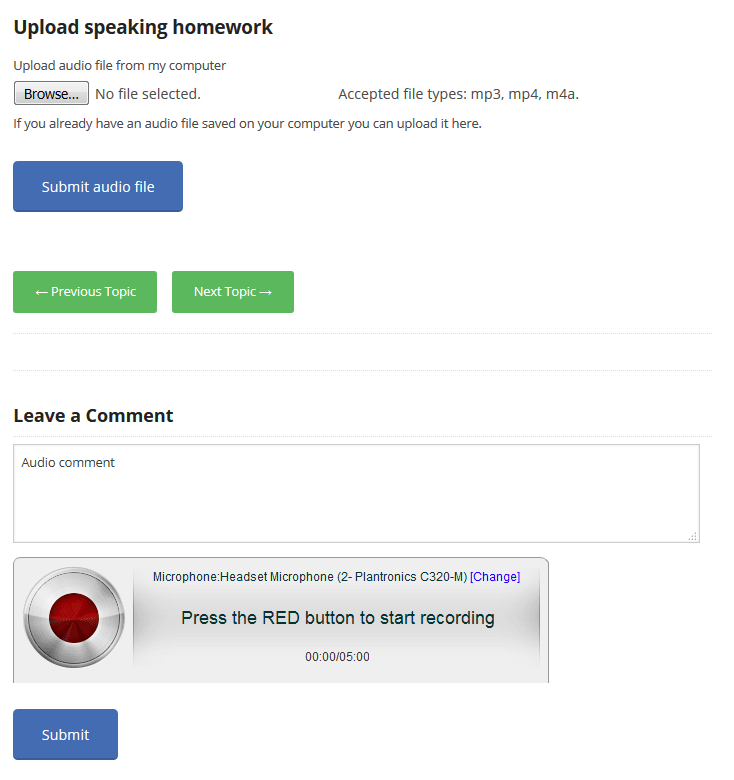
options for recording/submitting speaking homework
Options for recording/submitting speaking homework

Communication between learners and tutors, including feedback on assignments, is via a messaging system in the LMS (neither party knows the others’ email address). This ensures that all communication is traceable and accessible to the LMS administrators, and it helps to ensure the security of both parties.

A student's Inbox in the messaging system (with content blurred for security)
A student’s Inbox in the messaging system (with content blurred for security)

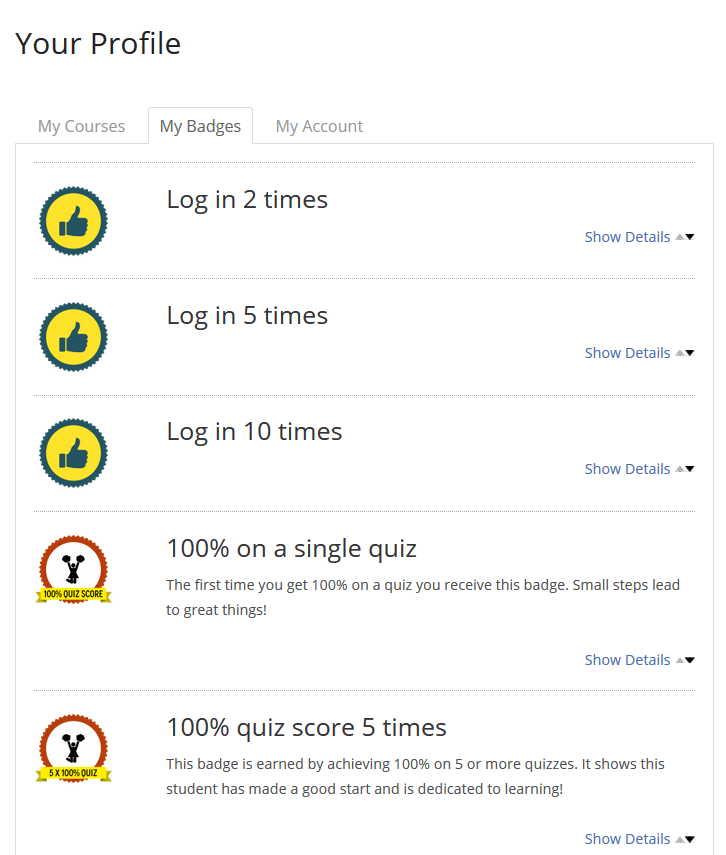
There are digital badges to reward and encourage activity in the course. Badges are triggered by actions such as logging in a specified number of times; as well as more academic activities such as completing a topic or achieving a 100% quiz score. On completion of a course learners also receive a (PDF) certificate for printing or downloading.

certificate of completion
Certificate of completion

Each learner has a profile page on which they can see which courses/lessons/topics they have completed, including quiz scores achieved. Learners also have a course progress bar which advances as they complete parts of the courses.

student profile page
Student profile page

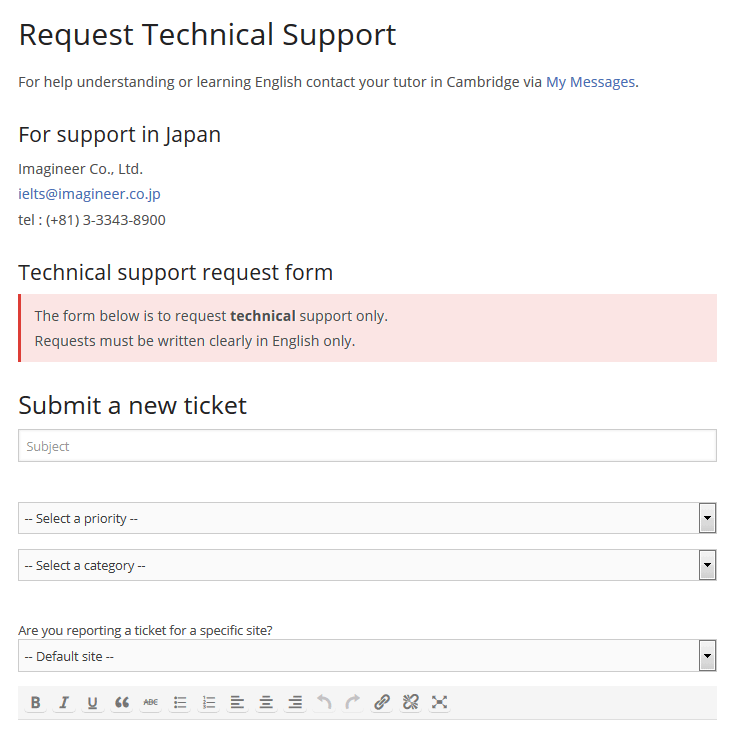
For technical support there is a ticketing system which allows learners to request individual help. There is also a list of FAQs and other guidance material for self-service support.

Request technical support


Staff endorsements

One

“I approached Ollie after he gave a presentation to a staff development meeting. I was interested in the functionality, ease of use and benefits of wikis in teaching and learning for my MSc IT students. We met and discussed what a wiki can offer and how it might be used in the context of a module for group collaboration in preparation for a presentation.

We discussed some technical options around control and monitoring, design and choice of software – namely whether to choose the in-built Blackboard tool or use the public domain PB Works. As a result we developed and implemented an approach that began with a student workshop and guidance sheet. The students immediately took up the initiative and have used it beyond its original intentions to support other collaborative work on other modules.

Ollie retained an interest in the work and helped in evaluating it use. The wiki is now an established part of the module teaching and learning approach.”

Morris Williams, Module Leader and Director of International Leaderships

Two

“The MSc Urban and Rural Planning is a programme delivered entirely online. As such, it is essential that teaching and learning, including the opportunities for remote student interactions, is effectively enabled virtually. This is a challenge in a context where students can be anywhere in the world pursuing their studies and the importance of addressing common online learning barriers, such as learner isolation, is an important priority within this context.

Oli has led in the development and execution of a strategy to overcome these barriers and deliver an innovative and effective learning environment online. Oli played a vital role in the programme design team, leading not only on the effective use of the Virtual Learning Environments (Blackboard, Piazza etc) for this programme, but also providing important direction, guidance and direct support in relation to the creation of an interactive and engaging virtual learning experience embracing video, audio, interactive tools, visual aids and appropriate structural, format and style techniques to deliver online text content to support desktop learning.

Oli demonstrated clear knowledge and understanding of the potential use of innovative learning technologies, but also showed awareness of the limitations, ensuring packages have been employed to best effect.

Importantly, Oli has also provided ongoing support to the academic members of the team to support content delivery and online interaction between students, making key interventions to improve engagement and participation. Oli continues to be an important member of the programme and module teams, maximising the student experience.”

Adam Sheppard, Programme Leader

Three

“I went to Oli with an idea and a ‘wish list’ in my head about the idea of using blogs for assessment. He explained a number of options in careful detail and pointed out the constraints and the benefits of using a variety of programmes, helping me to eventually make an informed decision about what to use.

I was very impressed with how quickly Oli managed to set up Pebbelpad and students blogs to support my module. He is able to explain technical content clearly and accessibly.

In the setting up of students blogs to accompany a final year module Oli produced technical guidance through a series of short accessible online videos. He was was thorough and clear providing guidance and instruction to me and to the students both in the classroom and via BB. Oli has dealt with every query or question that I or students had about Pebblepad resulting in flawless administration of the blog assessment and good feedback from students.

Oli shared my passion in treating students as independent learners and we have worked together to produce a novel assessment. Oli was able to advise about what and when students needed certain information, staggering it so that it was not too overwhelming. He is approachable, friendly and supportive with colleagues and students.

Oli listened to me and brought my vision and ideas to life. He spent valuable time explaining things so that I could understand.

I have enjoyed working with Oli because he is a good listener, he understands, asks thought-provoking questions and is passionate about students learning experience. He is brave, willing to take risks and try new things and able to evaluate and develop them. Without Oli my ideas would have stayed inside my head, he was able to bring them to life for me and help me understand new technology and gain confidence while feeling constantly supported.”

Sara-Jayne Williams, Module Leader

Four

“I write as a colleague who works in an office adjacent to that of Oliver Haslam, and also as someone who has benefited both from his training in relation to educational technology and from his ad hoc support with small technical issues.

Oliver always displays the utmost patience when dealing with staff. It does not matter how small or how easily solved the issue, no one is made to feel that they have wasted his time, or that they should have known better. This is a key skill for someone in his position, as it ensures that staff will ask him questions when they need to, as they will not fear being embarrassed by their limited knowledge or understanding.

Oliver is very good at explaining complex tasks in a clear, simple, but non patronising manner. He goes at the pace of the learner, yet still expects the learner to achieve high standards. He is always prepared to go back over something to ensure that key principles have been assimilated and reads his tutees well, so that he notices when something has not been fully understood.

He is very good at picking up on, and therefore starting from the threshold of understanding of the learner, and consequently pitches explanations at the right level.

He has a very calm and reassuring manner, that enables him to gain the confidence of the under confident, and ensures that he obtains a clear and full explanation of their problem. This is essential, as staff can sometimes be quite panicked about their IT problem if they are under pressure to deliver, and this, as Oliver so clearly understands, is a barrier to understanding.

Overall, he is excellent at what he does, and shares his knowledge and understanding of the power of technology to enhance learning with enthusiasm and sensitivity.”

Judith Ritchie, Director of Postgraduate Studies

Five

“Oli is a very willing member of the Learning and Innovation Unit and is always very happy to discuss ideas concerning the application of technology to my teaching.

He is a very good at teasing out the objectives to be pursued and advising on the best possible options available.

He was particularly helpful in ensuring the successful application of Turning Point in a recent large-group teaching scenario. He took the time to look through my teaching resources, advised on where Turning Point could be best applied , and undertook a practical demonstration of the technology which helped to reassure me in advance of the class. On the day Oli was on hand and came to view how the students were engaging with the experience; it was a very positive one and the students have provided some excellent feedback.

Oli is personable, patient and an excellent communicator and is in tune with the pressures and challenges faced by staff in a busy HE environment.

While Oli is very willing to develop one to one solutions, he has also helped with the faculty’s Shared Approaches to Learning and Teaching seminar series where new ideas and practices can be discussed with colleagues. In addition to being knowledgeable about the different technologies on the market, he possesses an excellent understanding of effective teaching and learning, steps to enhance the student experience, and related KPIs in this area.”

Nick Smith, Associate Head of Department

Six

“Oli has a unique skill in being able to present seemingly complex technologies in accessible way. This enables the lecturer to explore a range of possible technologies and make appropriate choices in a range of contexts.

Oli provided the TEL technical knowledge and support to enable me to develop a novel pedagogical approach to simulating professional engineering practice through the engineering curriculum. Together we explored a range of possible technologies and worked together to develop this new approach under tight timescales. Where novel TEL approaches were explored, Oli provided the technical guidance enabling me to ‘right-size’ the technology choices. We are currently developing this approach into an original research article for publication in a peer reviewed journal.

Oli continuously proves to be a comprehensive source of knowledge and guidance in the development of my teaching methods. I have used Oli’s technical expertise to explore a range of TEL technologies for example Panopto, Kaltura and the wider functionality of our our VLE, most of which I have subsequently chosen to incorporate on the Programmes I lead.”

Lisa Brodie, Programme Leader
LMS: khatwah.org

khatwah.org is the multilingual LMS I developed as part of the the Khatwah project, which supports CSOs (Civil Society Organisations) delivering campaigns and learning around gender-based violence issues in Syrian refugee communities in Lebanon, Jordan and Turkey.

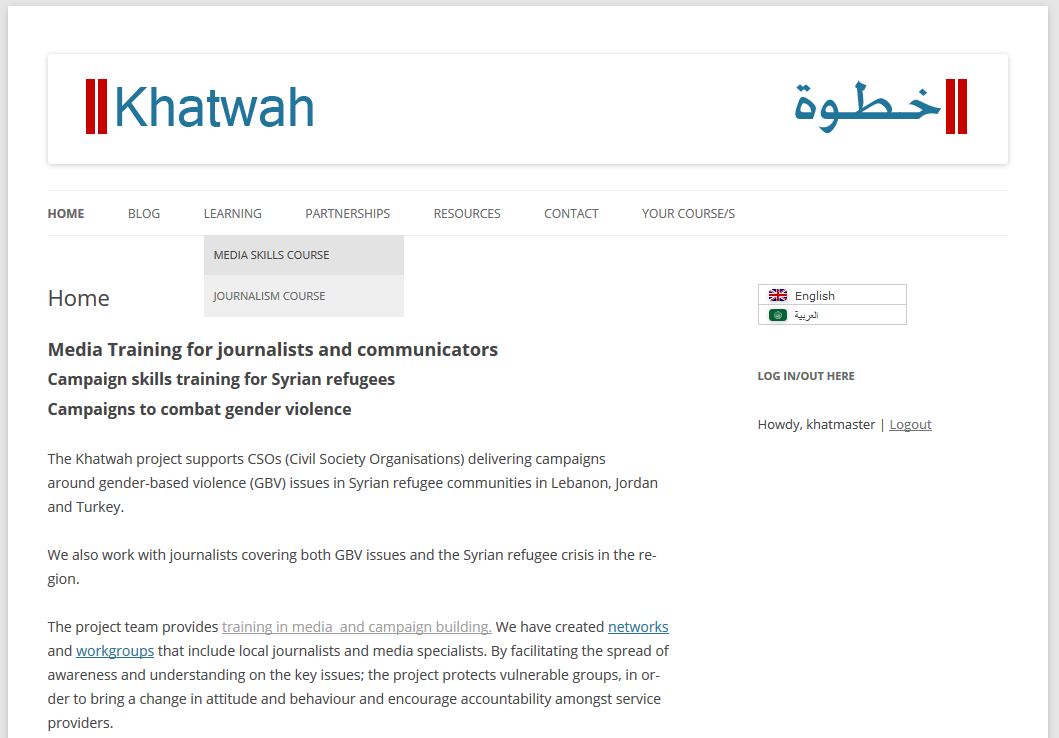
The image below shows the front page of the Khatwah site, including the navigation links to the two courses available there.

kahatwah.org home page with Media Skills course link highlighted

Apart from the multilingual aspect of the site, the Learning Management System is fairly simple. There are two courses consisting of ten or eleven lessons. Each lesson includes text, images and embedded videos and is followed by a single quiz question which must be passed before continuing to the next lesson in the sequence.

Interaction between learners is not possible on khatwah.org and this was a deliberate decision taken in the knowledge that there would not be the human resources available to moderate discussion via online forums or commenting on the site. Given the nature of the topic it was felt that moderation would be essential, so learners who wish to engage in the discursive aspect of the learning are encouraged to do so on a closed Facebook group (where systems for moderation and reporting of abuse, for example, are more robust).

Both courses are open to members of the public and are free of charge. Registration on the site (must be verified by a human) is required in order to enrol on a course . Learners can take as long as they wish to work through the courses. To date (February 2016) 130 people have taken one or both of the courses available.

The main technical challenge in developing this learning environment was not only ensuring the site worked in two languages – but that one language (English) is written left-to-right, whereas the other (Arabic) is written right-to-left.

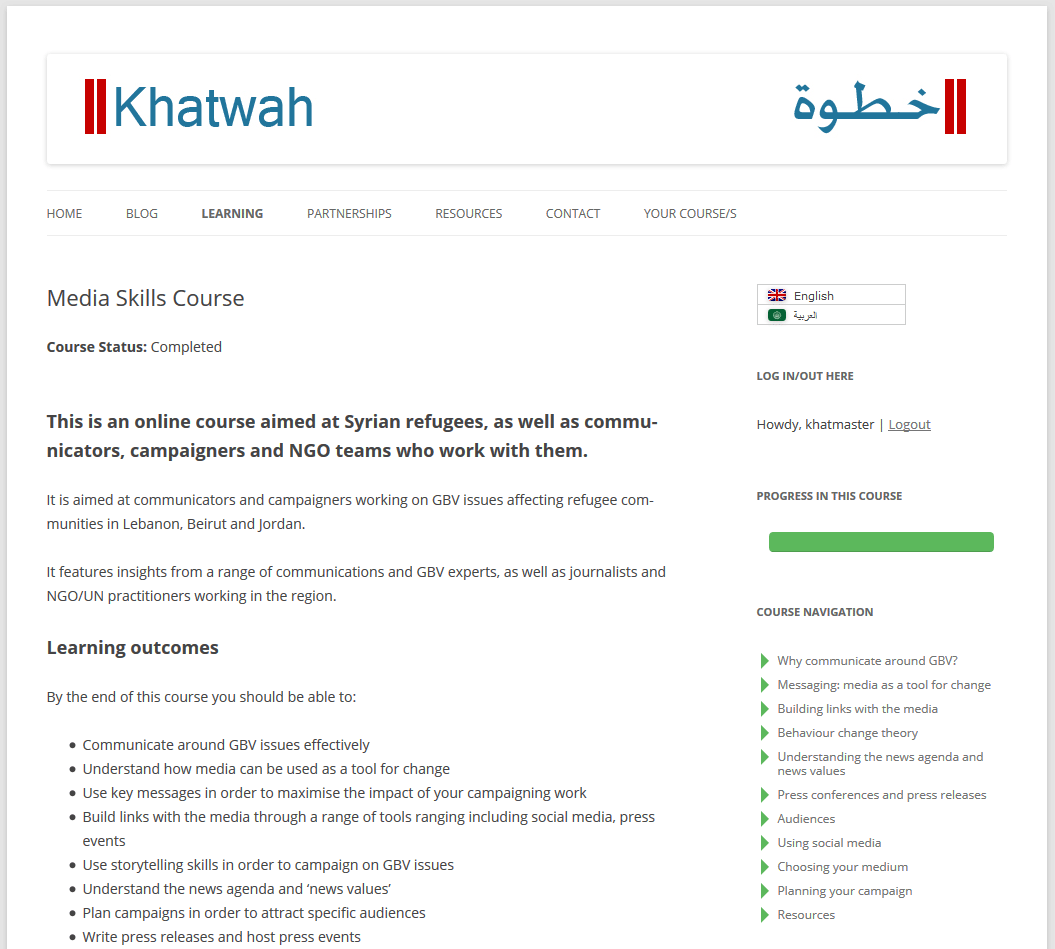
The screenshot below shows the start page for one of the courses included.

front page of the Media Skills course

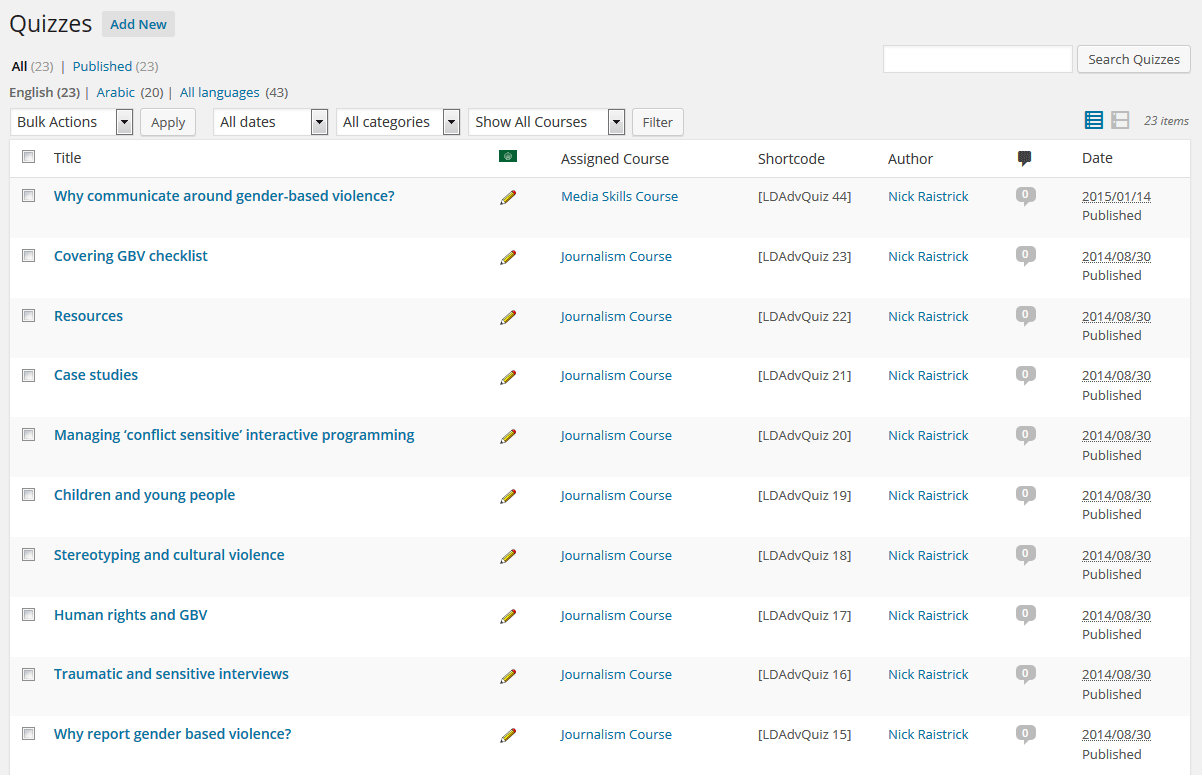
The screenshot below shows some of the quizzes in the journalism course in the WordPress admin.some of the quizzes in khatwah.org


LMS: conflictcomms.org

conflictcomms.org is a Learning Management System (LMS) I created in WordPress for a postgraduate course for students of journalism studying at Ahmadu Bello University in Nigeria. Due to the sensitive nature of the course (reporting in violent conflict situations) and the risks that participants may be exposed to if they are seen to be studying the course, access to the entire site is password restricted.

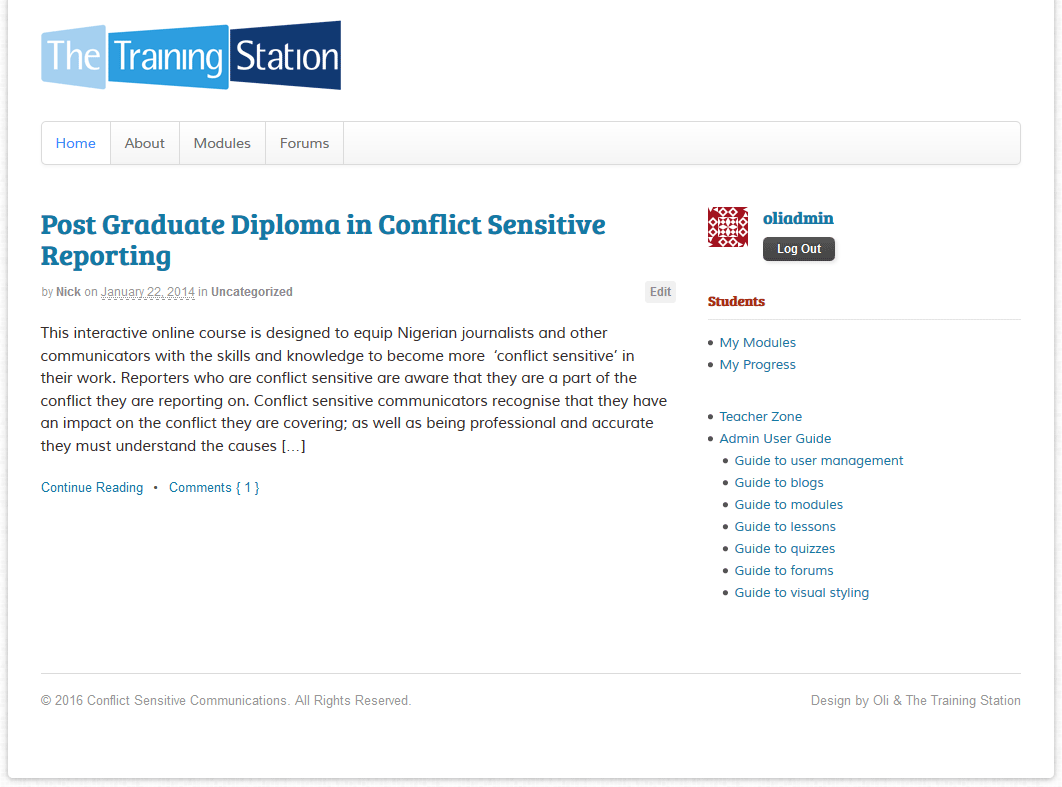
The image below shows the introductory page of the LMS.

screenshot of conflictcomms intro page

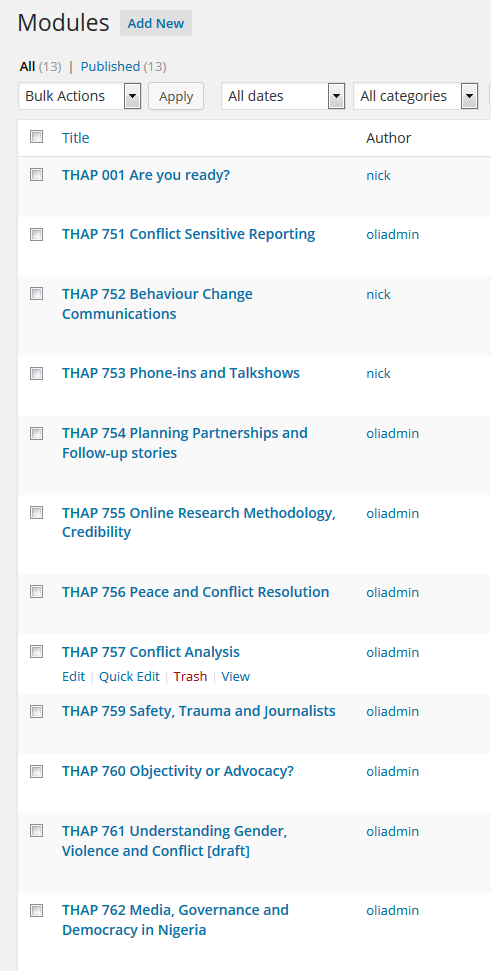
The image below shows the list of modules in the course.

modules available on conflictcomms


The course consists of twelve modules (plus an introductory module to help students get used to the learning environment), each of which includes 10-20 lessons, numbering 248 lessons in total.

Each lesson is delivered on a single web page containing text, images and the occasional embedded YouTube video. Every lesson is followed by a short formative quiz consisting of up to ten multiple-choice questions which are automatically marked as correct or incorrect.

The learning environment also includes a forum connected to each module, which students are free to use at any time. There has also been very little activity in the module forums, despite students being directed to discuss specific ideas and issues raised in the learning materials.

Also included in the LMS is the option for each student and/or instructor to have  their own blog site (one of the benefits of using WordPress Multisite) to record and reflect on their learning and teaching – but this has option has yet to be taken up by any users.

The lack of use of the forums and blogs may be due to the sensitive nature of the course material and a reluctance to be seen expressing views which others may disagree with – even in a closed forum. It may also be due to cultural factors I am unaware of. However, I tend to think it is probably down to the same reason that so many learners at the university I work in in the UK do not engage with online discusssion and reflection: the activity is not assessed and it is not engaged with by the academic staff either.

Open Digital Badges

MOOC badges

I set up the badging system in the ‘Our Green City’ MOOC. This included developing and implementing the criteria for triggering digital badges on Blackboard’s ‘Open Education’ platform and providing guidance for users on how to earn and publish badges.

I created the interactive image below in ThingLink to help the MOOC partcipants understand what badges were available, how to earn them and how to publish them to a Mozilla Backpack.

The greatest challenge in setting up the badges (requiring dozens of support messages, screenshots and lots of patience!) was trying to get Blackboard to fix the bugs in their Achievement tool, so that badges appeared legible and could be published to a Backpack without throwing an error.

The Achievements tool in Open Education relies on Blackboard’s ‘Adaptive Release’ system to trigger badges, which is quite a cumbersome tool to work with. For example, there is no way to make it automatically issue badge ‘Z’ once a user has earned badges ‘A’, ‘B’ and ‘C’. This also makes it more cumbersome for end users to claim badges.

We were let down badly by Blackboard at a crucial stage in the Our Green City MOOC. We had planned to use badges earnt as the critera for awarding certificates of participation but when the Achievements tool failed and Blackboard were unable to fix the issue we were left with no way of knowing who to award certificates to. This was a reminder not to rely on the big VLE providers when it comes to anything at all innovative or new. Blackboard’s code is not open source so even if we had been able to identify the cause of the problem we would have been unable to fix the problem ourselves, having to rely on Blackboard’s support workers who seemed to have virtually no experience of the badging system at all and took weeks to respond.

Badges on Cambridge Learn

I have also used digital open badges in my freelance work creating the cambridgelearn.com LMS.

I designed a set of badge images (with the help of Credly) and set up the system to award badges using a variety of free plugins and paid for add-ons.

Working with badges in WordPress was a far easier process than in Blackboard and the functionality allowed me to issue badges for logging in, changing a user profile, finishing a section of the course, passing a quiz etc.

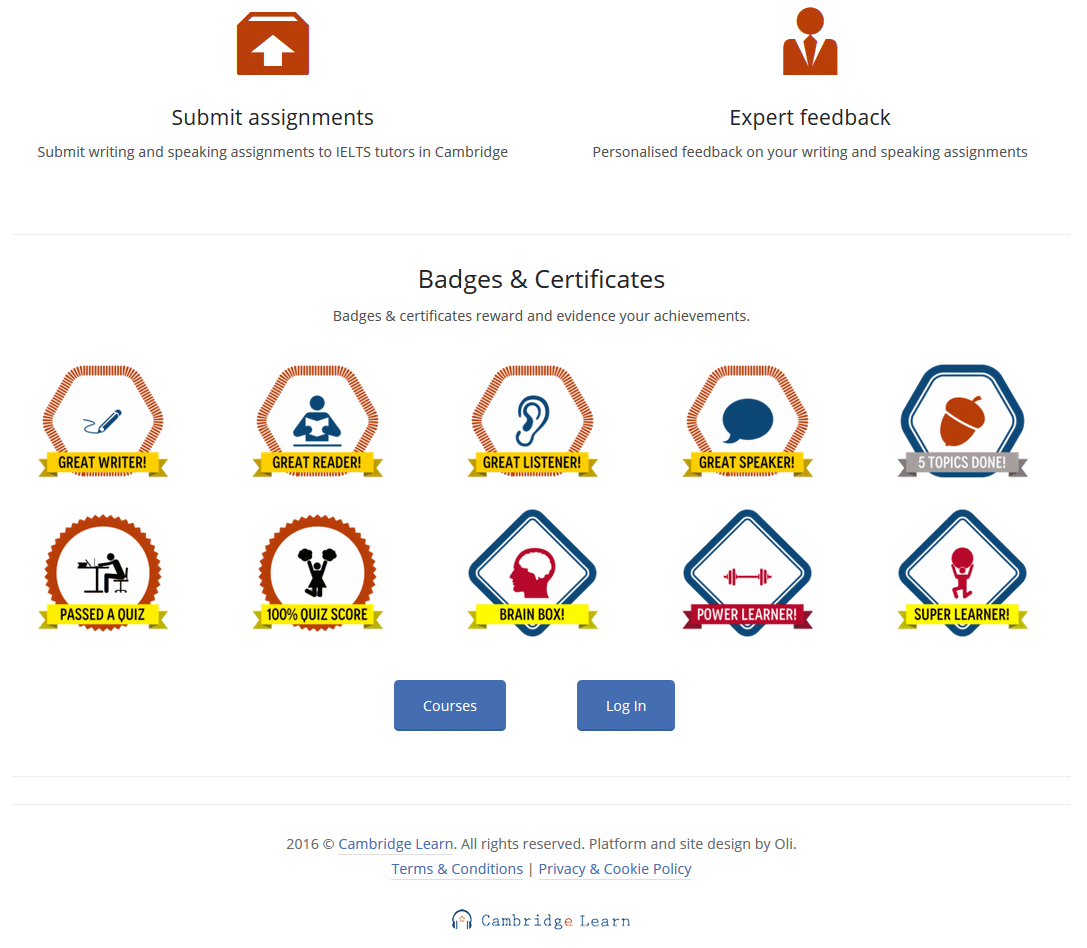
The image below shows some of the badges available on Cambridge Learn.

Badges on front page of CambridgeLearn.com

The image below shows badges earned listed in the user’s profile page.
earned badges shown on My Profile

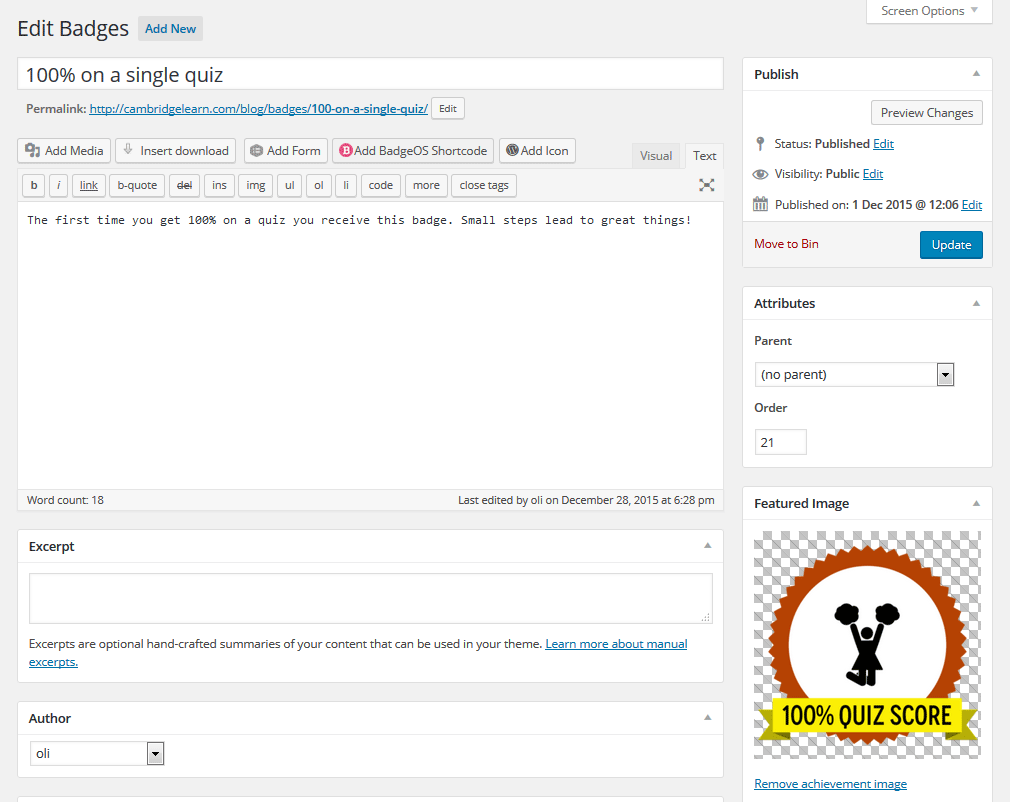
The image below shows a badge being edited in the WordPress admin area.

Badge being edited in WordPress editor

Raising awareness of learning technology

An advertisment I created (shown on the public display screens in the faculty) to raise awareness and encourage uptake of ResponseWare.TurningPoint-ResponseWare-promo-for-big-screens

Minutes of the Faculty Board where I presented the use of PebblePad and TurningPoint/ResponseWare.

Minites of a Faculty Board meeting where I showcased use of TurningPoint/ResponseWare and PebblePad

Minutes of a Faculty Board meeting where I showcased use of TurningPoint/ResponseWare in the faculty

Speaking to staff at a faculty learning and teaching event, Shared Approaches to Learning and Teaching (SALT).

Raising awareness of TurningPoint/ResponseWare at a faculty learning and teachine event

I created this presentation in Prezi to promote the varied work that I and my Unit are involved in to colleagues at a university-wide ‘Digital Showcase’ event.

Guides, tasks and support for students

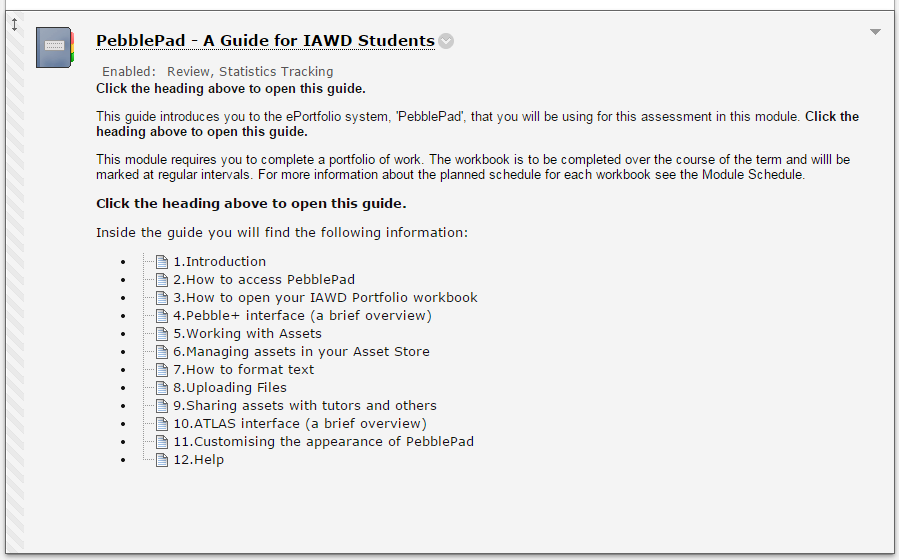
I make PebblePad guides for students (in Blackboard Learning Modules) and adapt each guide to suit the tasks set for students.

A guide to PebblePad for students


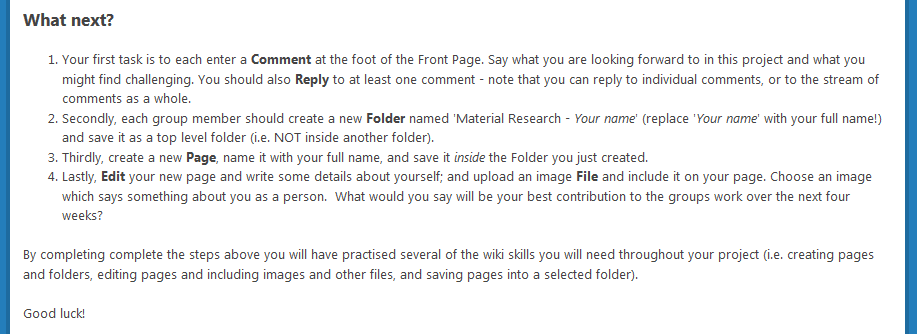
An example of a familiarisation task I set up for students using a PBworks wiki for the first time.

Instructions for a wiki familiarisation task


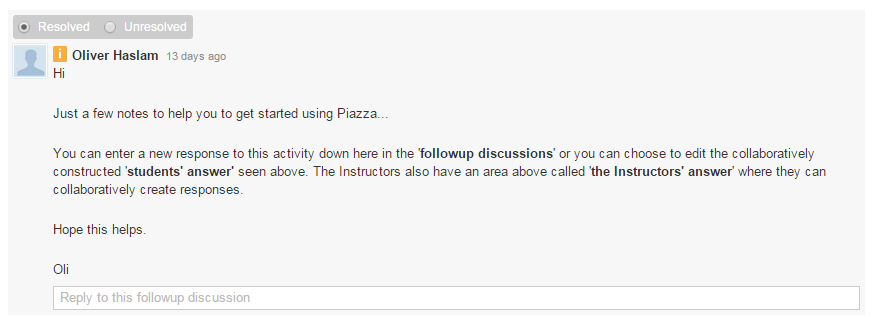
A comment providing orientation support for students using Piazza for the first time.

A comment to help students using Piazza for the first time


This is a presentation I made to help a lecturer get started using blogs with his students. I uploaded it to Slideshare so that others can view and benefit from it too.

http://www.slideshare.net/olihaslam/guide-to-wordpress-by-oli

Teaching and learning qualifications

In 1995 I received the Certificate in Teaching English as a Foreign Language for Adults (RSA/Cambridge CTEFLA). This gave me a good grounding in practical teaching skills and an excellent understanding of how people learn. Many years’ experience (10+) as a teacher of English as a foreign language has helped me to communicate complex ideas and meanings in simple understandable terms and to understand learners’ diverse needs. This has proved invaluable in my work as a Learning Technologist.

CTEFLA certificate

My practice as a teacher of English as a foreign language usually involved learners taking part in lots of carefully scaffolded authentic communication activities, and performing practical and creative learning tasks. This approach ties in well with the ideas of Social Constructivism and Activity Theory which I was introduced to at the Open University in 2010, when I studied for the Postgraduate Certificate in Online and Distance Education (Pg Cert ODE). This course not only provided me with a broader and deeper understanding of pedagogy, it gave me practical experience of being a distance learner and introduced a wide range of tools and technologies for learning.

PG Cert ODE certificate

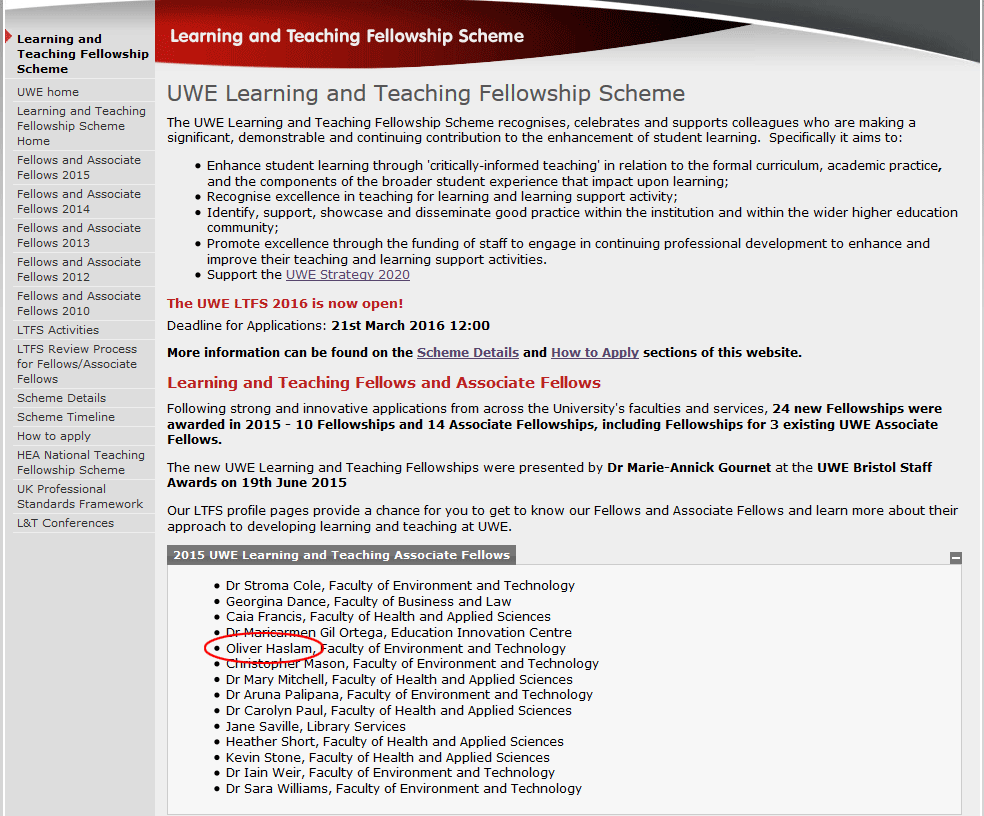
In June 2015 I was recognised as a Learning & Teaching Associate Fellow at the University of the West of England.

“The UWE Learning and Teaching Fellowship Scheme recognises, celebrates and supports colleagues who are making a significant, demonstrable and continuing contribution to the enhancement of student learning.”

My name of the list of Associate Fellows

Staff & student surveys and feedback

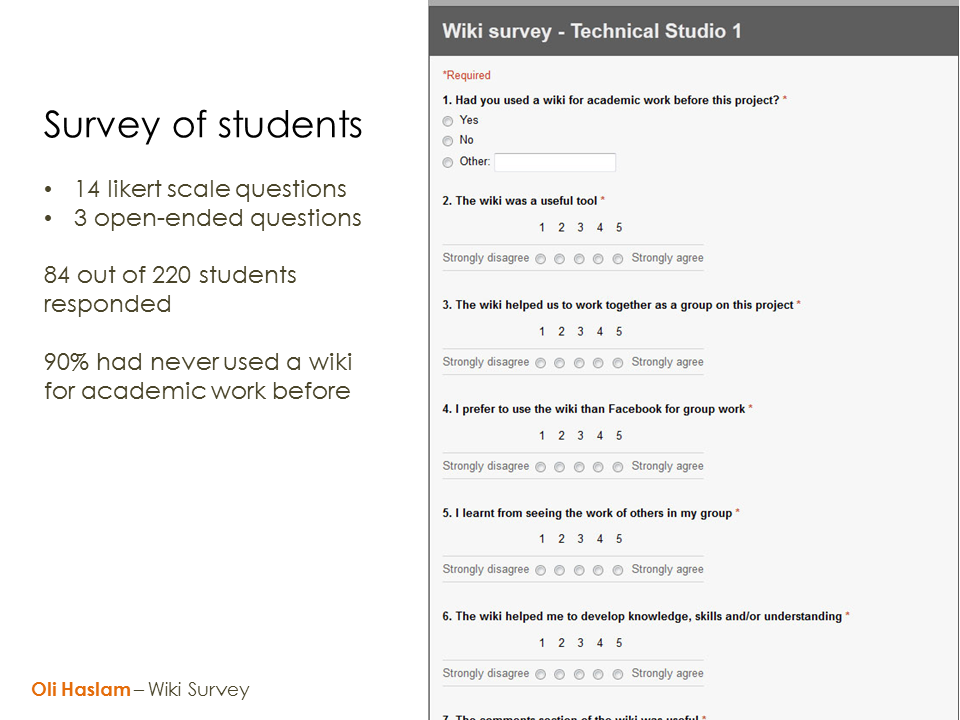
The following survey enabled first year students of architecture to give feedback on their use of wikis. It was constructed in Google Forms and embedded in Blackboard for students to complete.Example of a student survey about use of wikis


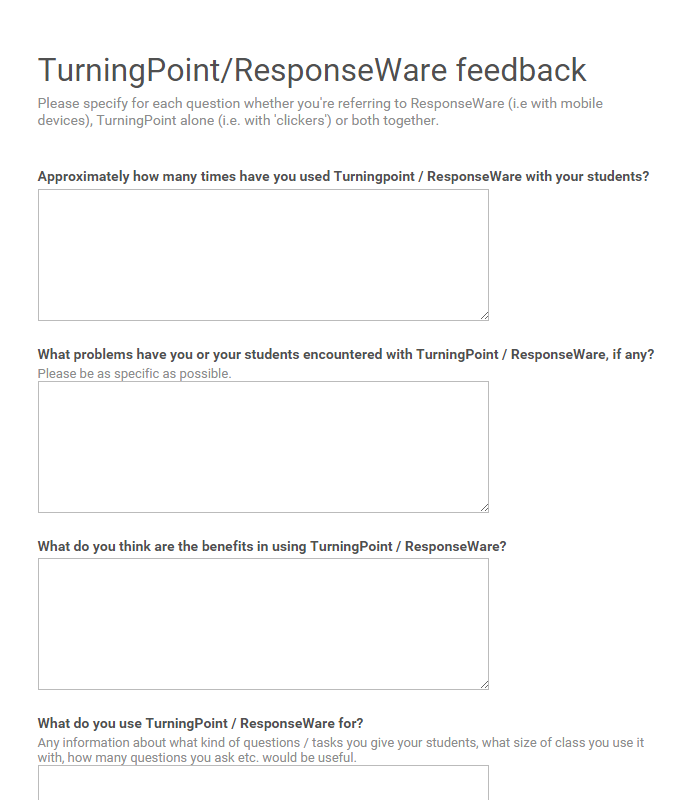
An example of a survey asking staff for feedback on their use of a TurningPoint/ResponseWare.A survey which enables staff to provide feedback on use of TurningPoint/ResponseWare

Xerte Online Toolkit

I have used Xerte Online Toolkits to create a number of resources for staff and students in the faculty, some of which can be seen embedded on this page. Xerte is designed to be accessible to everyone and is one of the main reasons that I use it. In the learning objects on this page, users can choose the background colour which mosts suits them. This feature is of particular help for users with visual impairments or dyslexia.

I played a leading role advocating the upgrade of Xerte Online Toolkits to version 3.0. I did so because the new version is significantly more usable than before, making it more likely that teaching staff can produce learning objects to help their students without frequent technical support.

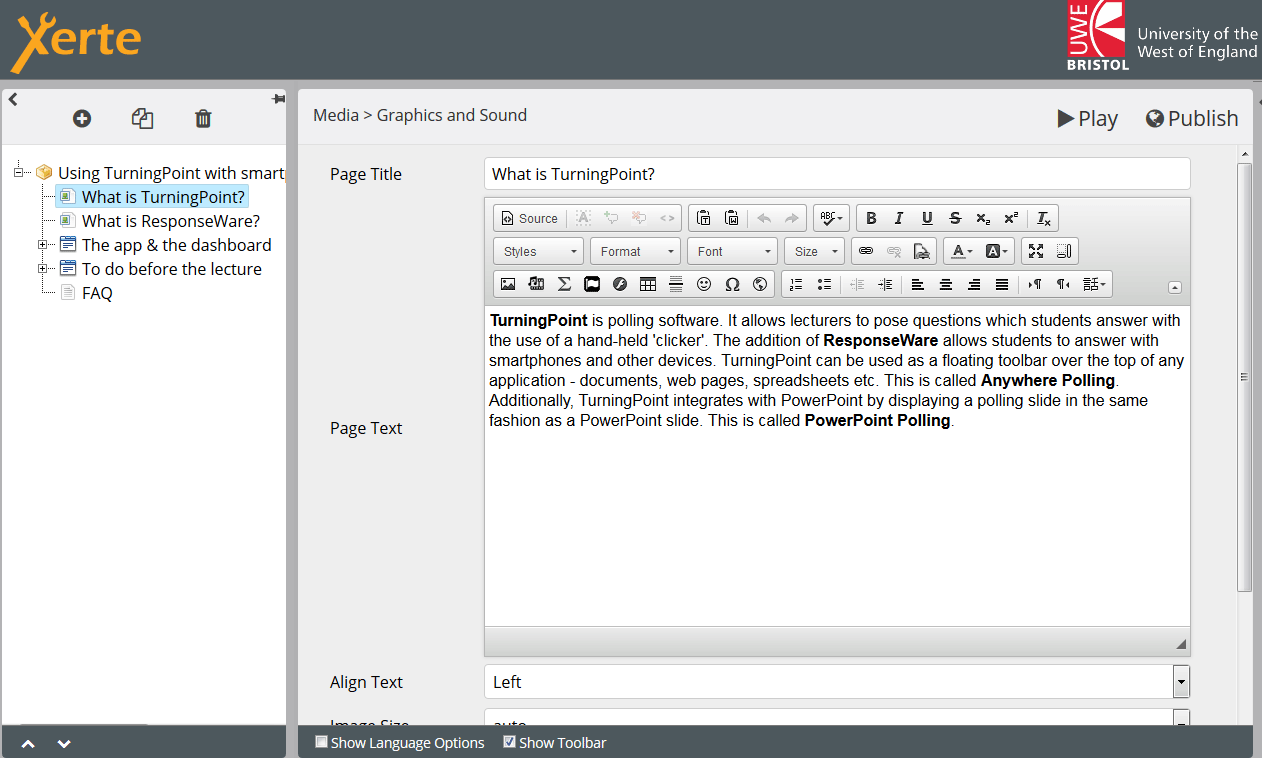
The new Xerte 3.0 editing interface includes a standard (WYSIWYG) text editor, making it much more usable for lecturers.

xerte's editing interface


This learning object (LO) is intended for students and includes audio narration and a transcript.


I created this resource for staff to learn about TurningPoint/ResponseWare. It includes formative exercises.


Below is the index LO which enables access to the individual Interactive Video Guides I am developing for equipment in technical labs.

PebblePad

Feedback from Module Leader

‘I went to Oli with an idea and a ‘wish list’ in my head about the idea of using blogs for assessment. He explained a number of options in careful detail and pointed out the constraints and the benefits of using a variety of programmes, helping me to eventually make an informed decision about what to use.

I was very impressed with how quickly Oli managed to set up PebbelPad and students blogs to support my module. He is able to explain technical content clearly and accessibly.

In setting up students blogs to accompany a final year module Oli produced technical guidance through a series of short accessible online videos,  was thorough and clear providing guidance and instruction to me and to the students both in the classroom and via Blackboard. Oli has dealt with every query or question that I or students had about PebblePad resulting in flawless administration of the blog assessment and good feedback from students.

Oli shared my passion in treating students as independent learners and we have worked together to produce a novel assessment. Oli was able to advise about what and when students  needed certain information, staggering it so that it was not too overwhelming. He is approachable, friendly and supportive with colleagues and students.

Oli listened to me and brought my vision and ideas to life. He spent valuable time explaining things so that I could understand.

I have enjoyed working with Oli because he is a good listener, he understands, asks thought-provoking questions and is passionate about students learning experience. He is brave, willing to take risks and try new things and able to evaluate and develop them. Without Oli my ideas would have stayed inside my head, he was able to bring them to life for me and help me understand new technology and gain confidence while feeling constantly supported.’

Sara-Jayne Williams, Module Leader, Youth Society and Ageing.

Presentation at the UWE 2015 Learning & Teaching Conference

I made this (using PowToon) to encapsulate what the lecturer (Sara-Jayne Williams) and I did with PebblePad in the Youth Society & Ageing module.

A screen capture video I created to help students on placement to get started on PebblePad.

Guidance (in a Blackboard Learning Module) for students using PebblePad for blogging.

Video guides to help students using PebblePad

My report on the use of PebblePad in the faculty.

A report I wrote on the use of PebblePad in the faculty

Sharing information and ideas about PebblePad  with other Learning Technologists in the university.

Screenshot of forum conversation about PebblePad with other Learning Technologists

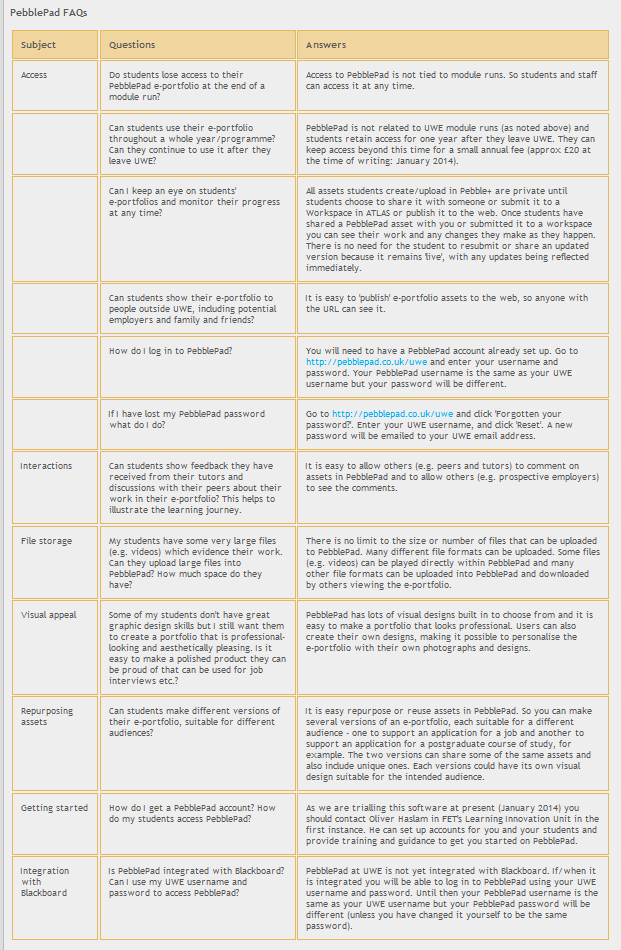
A list of FAQs on the PebblePad page I developed for the Learning Innovation Unit’s (SharePoint) Intranet site.

List of PebblePad FAQs

Flipped learning

I created a learning object in Xerte to help staff understand and put into practice the flipped learning model.

I developed a page on our SharePoint intranet site providing more information about flipped learning and embedded the learning object into the page.

Flipped learning on LIU Sharepoint

I wrote an article for my Unit’s blog about flipped learning.

‘Flipped’ learning – what is it?

MOOC video accessibility

On a recent MOOC, ‘Our Green City’ (for which I was the lead technical developer) I was asked to include approximately fifty short videos in the learning materials. I wanted to make the most accessible user experience possible so I used a combination of Dragon Dictate, YouTube and Vimeo to make subtitles. Subtitling videos makes them more accessible to users with hearing impairments and to non-native speakers of English (many of whom find reading easier than listening, particularly when speakers have a strong regional accent as in this case).

I used Dragon Dictate software to transcribe the audio from videos which did not have an existing transcript (i.e. unscripted interviews) into text. I tidied up the transcript by fixing wrongly interpreted words and by adding punctuation.

I then uploaded a low resolution copy (for speed) of the video and the transcript text it went with into YouTube. Unlike Vimeo, YouTube has a very efficient means of automatically creating a downloadable .srt subtitle file, which is the only reason I used YouTube in this process.

Next I uploaded a high resolution version of the video into Vimeo along with the corresponding .srt file to create the subtitles. Lastly, I copied the embed code available from Vimeo and pasted it into the HTML editor in the appropriate partof the MOOC so that users could see the video inline without needing to visit a different web page.

I used Vimeo because, apart from not including advertising, it allows users to choose between a High Definition and Standard version of the video (thus increasing accessibility for users on low bandwidth Internet connections) and automatically serves mobile users with a version suitable for their device.

In addition to the subtitles I included a downloadable PDF file of the transcript, which makes the video content more accessible to users who cannot easily view streaming video because, for example, of intermittent Internet connection and to learners who prefer reading to viewing video. I wanted to make the videos downloadable too (to increase accessibility further) but was overruled by the project manager on the MOOC.

By providing a number of ways to access the video content, I aimed to make it as accessible as possible to everyone, taking into account disability, the technology learners use, and learner preferences.

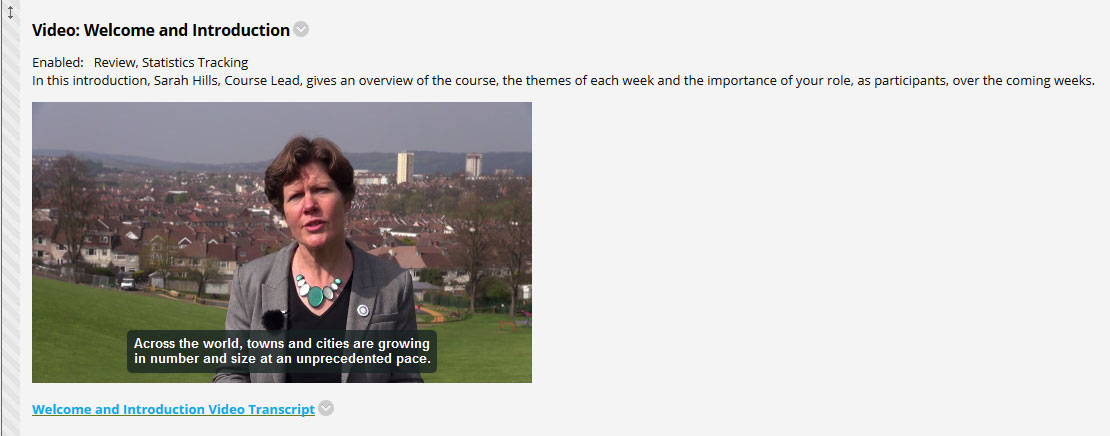
An example of a video from the MOOC is pictured below, showing subtitles and a link to the transcript.

screenshot of video and transcript link on Our Green City MOOC

Notable assessment projects

TurningPoint for summative assessment

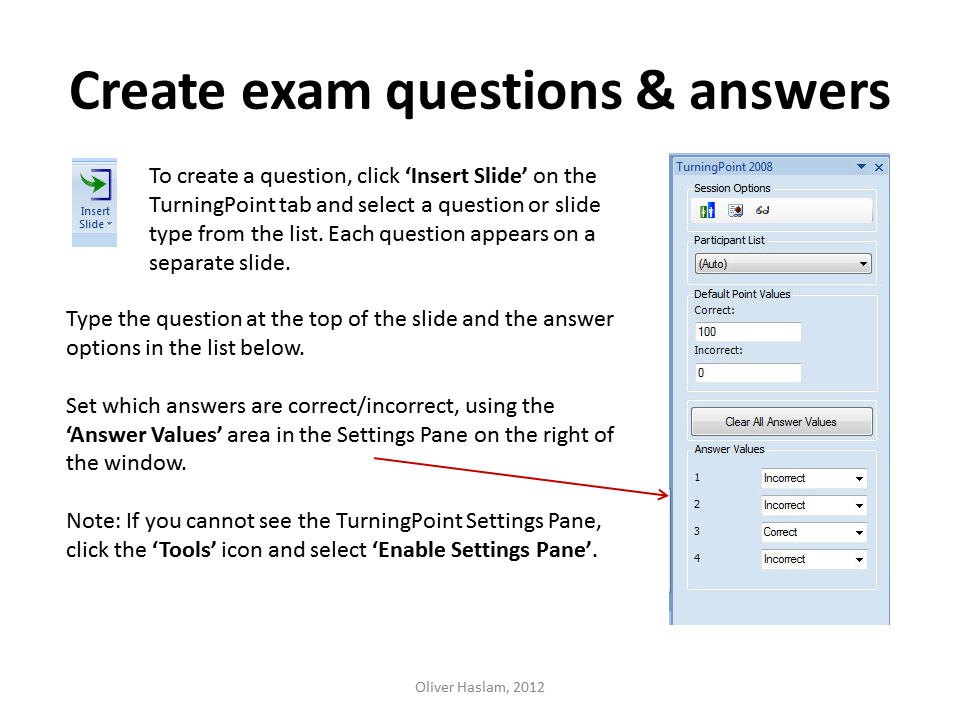
I investigated the use of Turningpoint for large scale (i.e. 100+ students at once) summative assessments. I also created support material to help the lecturers involved in the assessment to understand the technology.

1-Setting_up_a_TurningPoint_exam


Final report on using TurningPoint for summative assessments

Report-on-using-Turningpoint-for-summative-assessments


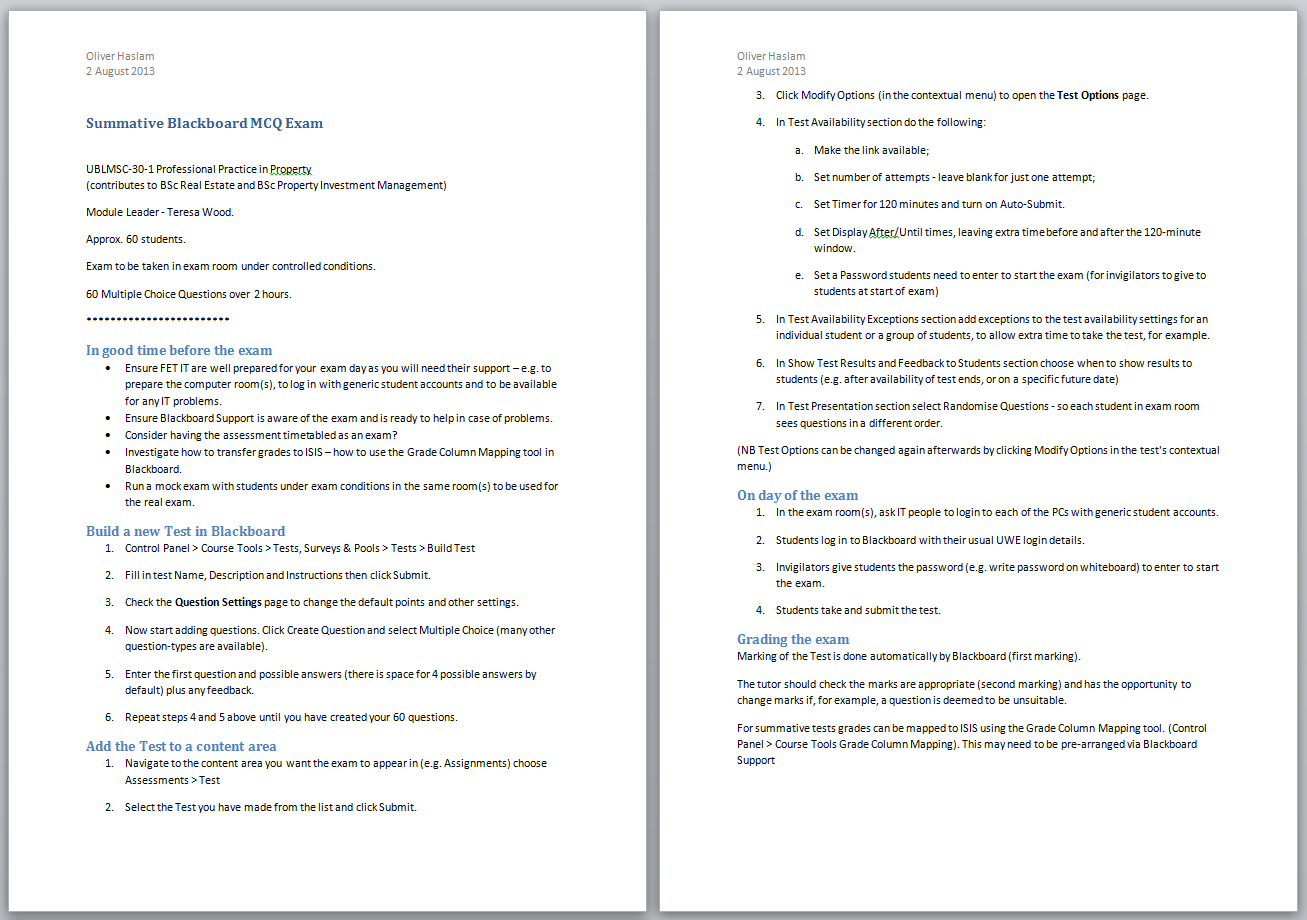
Using Blackboard Tests for summative assessments

I wrote some guidance for staff on the use of Blackboard Tests for summative assessment. This mainly focused on how ‘exam conditions’ could be maintained and the pitfalls do avoid.

Using-BB-Tests-for-summative-assessment---August-2013


Using Open Digital Badges in the ‘Our Green City’ MOOC

I introduced Badges as part of the assessment process on the MOOC. Details of each badge can be seen below and further information is on the Open Digital Badges post.

Interactive Video Guides

I have made two Interactive Video Guides so far as a pilot before proceeding with the project. One guide is for using the Heliodon in the Architectural Lighting Lab and one for using the Shear Box in the Earth Sciences Laboratory. Development of the guides is still in progress as I determine the most usable and accessible format to use regarding hosting, transcripts and quizzes. My aim is to make these guides as accessible and usable as possible.

I worked with the film maker in the LIU, Steve Brown, and two lab technicians, Danny Elvidge and Emma Brown, to do the filming. I had some input into the scripting and filming but my main role, apart from having the initial idea and managing the project, was creating the guides in Xerte and making them available on tablet computers in the labs and via Blackboard. I want them to be available in the labs themselves for ‘just in time’ learning and additionally to be delivered on Blackboard so that the quiz scores can be reported using SCORM (in order to track, for health and safety purposes, which students have interacted with them).

When used in the labs on tablet computers it is important that students can only use the tablet computer to interact with the guides, i.e. they cannot browse the web to visit other websites. To restrict students to the using guides only I have installed a free app called ‘kiosk browser’ on the iPad (to restrict which URLs can be visited) and set the iPad to guided access/kiosk mode to disable the hardware buttons and restrict usage to the kiosk browser app only.

The first item embedded below is a Learning Object which acts as the index to the guides – it links them all together and provides the way in to the guides themselves. I made this as a separate LO so that it can be edited (e.g. more links to guides added over time) without affecting the actual guides.


The item below is one of the interactive guides. It includes an image with hotspot image links that lead to pages containing videos, transcripts and notes about the piece of equipment selected. It also includes a quiz at the end to check undersatnding.

 
Below is the second of the guides. It follows the same format as the one above.


Module and programme development: MSc Urban & Rural Planning

The MSc Urban and Rural Planning is a programme delivered entirely online. As such, it is essential that teaching and learning, including the opportunities for remote student interactions, is effectively enabled virtually. This is a challenge in a context where students can be anywhere in the world pursuing their studies and the importance of addressing common online learning barriers, such as learner isolation, is an important priority within this context.

Oli has led in the development and execution of a strategy to overcome these barriers and deliver an innovative and effective learning environment online. Oli played a vital role in the programme design team, leading not only on the effective use of the Virtual Learning Environments (Blackboard, Piazza etc) for this programme, but also providing important direction, guidance and direct support in relation to the creation of an interactive and engaging virtual learning experience embracing video, audio, interactive tools, visual aids and appropriate structural, format and style techniques to deliver online text content to support desktop learning.

Oli demonstrated clear knowledge and understanding of the potential use of innovative learning technologies, but also showed awareness of the limitations, ensuring packages have been employed to best effect.

Importantly, Oli has also provided ongoing support to the academic members of the team to support content delivery and online interaction between students, making key interventions to improve engagement and participation. Oli continues to be an important member of the programme and module teams, maximising the student experience.
Adam Sheppard, Programme Leader
Staff development workshops and sessions

Evidence and feedback on staff development workshops, showcase events, one-to-one consultations

TEL Tasters – a series of staff development sessions

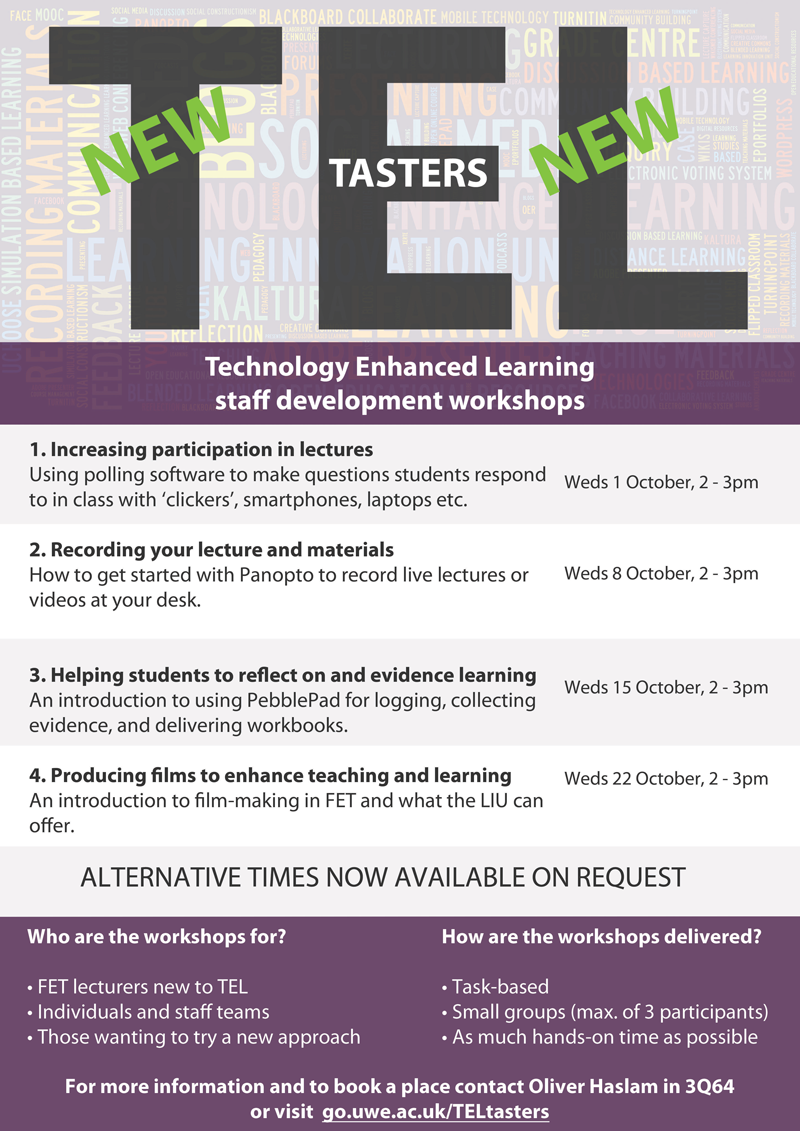
The image below is a poster I made to advertise staff development workshops. I ran this series of ‘TEL Taster’ workshops three times during 2015.

Poster advertising 'TEL Tasters' staff development workshops with alternative times available on request

Departmental away day – staff development session

I led a staff development session for the Computer Science and Creative Technologies department at their away-day in January 2016. I used an interactive ThingLink image (embedded below) to augment the sesion as this allowed me to embed lots of examples to illustrating what I and the other contrubutors spoke about. (Hover on the image to see the interactive hotspots)

I also made a Padlet wall (embedded below) available as a ‘back channel’ during the session for attendees to add comments and questions to during the session.

Following the session I received the message below from the Associate Head of Department responsible for Student Experience.

screenshot showing thanks I received for the departmental away day

Another staff development session at a departmental away day

The screenshot below shows feedback I received following a workshop in which I showcased examples of technology use by lecturers in the department.

Email thanking me for delivering a workshop and showcase event at departmental Away Day
Recognition of a successful event where I showcased examples of technology use by lecturers in the faculty

One-to-one staff development

Here is some feedback from a member of staff for whom I have provided one-to-one staff development and support.

Example of positive feedback on the way I provide staff development and support

Recording video

I have helped a number of lecturers to record videos for various purposes. I have also created many recordings in which I provide narration. I am able to use effectively several different methods to record videos and to make them available to viewers. A selection of these videos can be seen below.

This video is a screen recording to help students using PebblePad. The voice you hear is mine. It was recorded using Kaltura software and is embedded here via Kaltura. I have recorded a large number of similar videos to help staff and students using various technologies.

I helped Adam Sheppard, the Programme Leader seen here, to record this video as he was not confident using the technology himself. I set up the webcam and recorded this using Kaltura. The webcam microphone was of poor quality however, so we re-recorded it using an external USB mic which gave a far better result. Using Kaltura I trimmed the start and end of the video to remove unwanted parts. I also used Kaltura to embed the video here.
The video below shows UWE lecturer Georgie Gough, apparently speaking in front of a PowerPoint presentation. I recorded this using TriCaster ‘green screen’ technology which allowed me to replace the green curtain she was actually standing in front of with the Powerpoint slideshow seen in the video. The hardware required I used to do this is extremely complex and expensive. I think the outcome is good but I am yet to be convinced it is a significant enhancement worthy of the additional cost involved.

This video shows how to install the ResponseWare app on an Android device. I recorded this using a digital video camera mounted on a tripod in a darkened room. The voice heard and hand seen are mine. I uploaded the video to Kaltura so that I could obtain an embed code and show it on this web page

Wikis for group projects

Module Leader’s endorsement

‘I approached Oli after he gave a presentation to a staff development meeting.  I was interested in the functionality, ease of use and benefits of wikis in teaching and learning for my MSc IT students. We met and  discussed what a wiki can offer and how it might be used in the context of a module for group collaboration in preparation for a presentation. We discussed some technical options around control and monitoring, design and choice of software – namely whether to choose the in-built Blackboard tool or use the public domain PB Works.

As a result we developed and implemented an approach that began with a student workshop and guidance sheet. The students immediately took up the initiative and have used it beyond its original intentions to support other collaborative work on other modules. Oli retained an interest in the work and helped in evaluating it use. The wiki is now an established part of the module teaching and learning approach.’

Morris Williams, Module Leader, Contemporary Issues in IT Management and Practice, February 2015.

Instructions for a wiki familiarisation task I created in PBworks

I used this to help students get started using the wiki system.

Instructions for a wiki familiarisation task

Report on use of wikis for a group project by first year architecture students

I wrote this report in July 2014 following the successful deployment of PBwikis in the 1st Year Architecture studio.
A report I wrote on the use of wikis on a first year architecture group project

Video of my presentation at the faculty’s Sharing Approaches to Learning and Teaching (SALT) seminar series

https://youtu.be/5kx1xnNdd4c

I created this graphic comparing Blackboard’s wiki tool and PBworks wiki fo use in the SALT presentation.

Annotated diagram comparing Blackboard and PBworks wikis

IBEE Conference listing

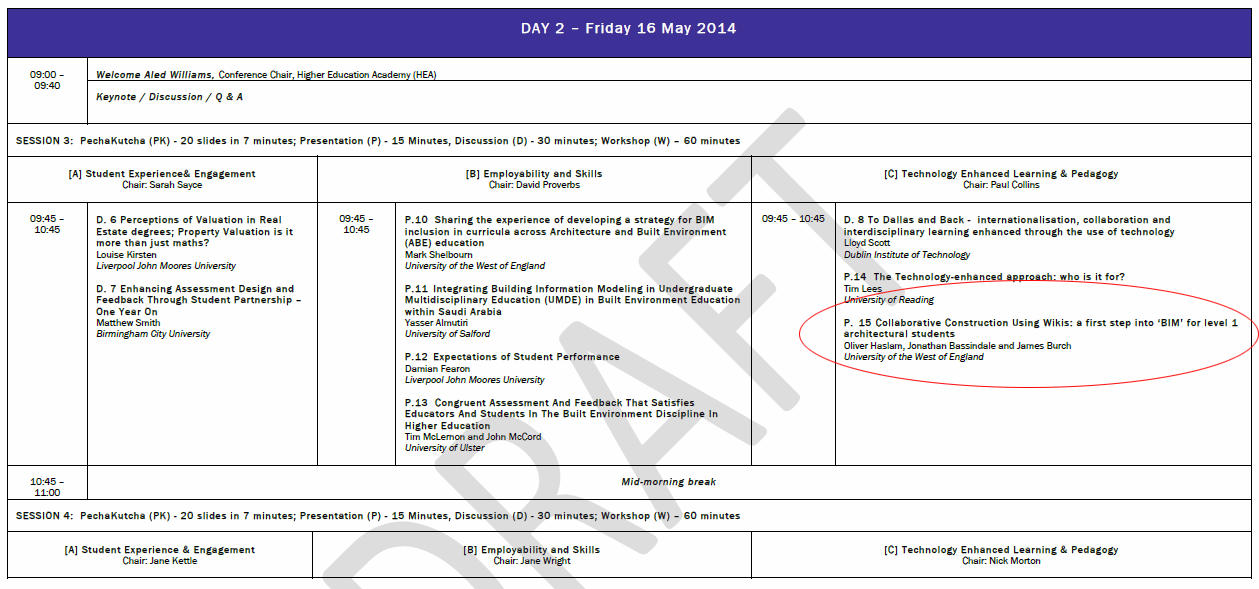
I co-delivered (with James Burch) a workshop at the ‘Innovation in Built Environment Education’ (IBEE) conference, Nottingham University in May 2014. This image shows the workshop listing in the conference programme.

IBEE Conference programme listing my presentation on wikis


IBEE Conference presentation – Title slide

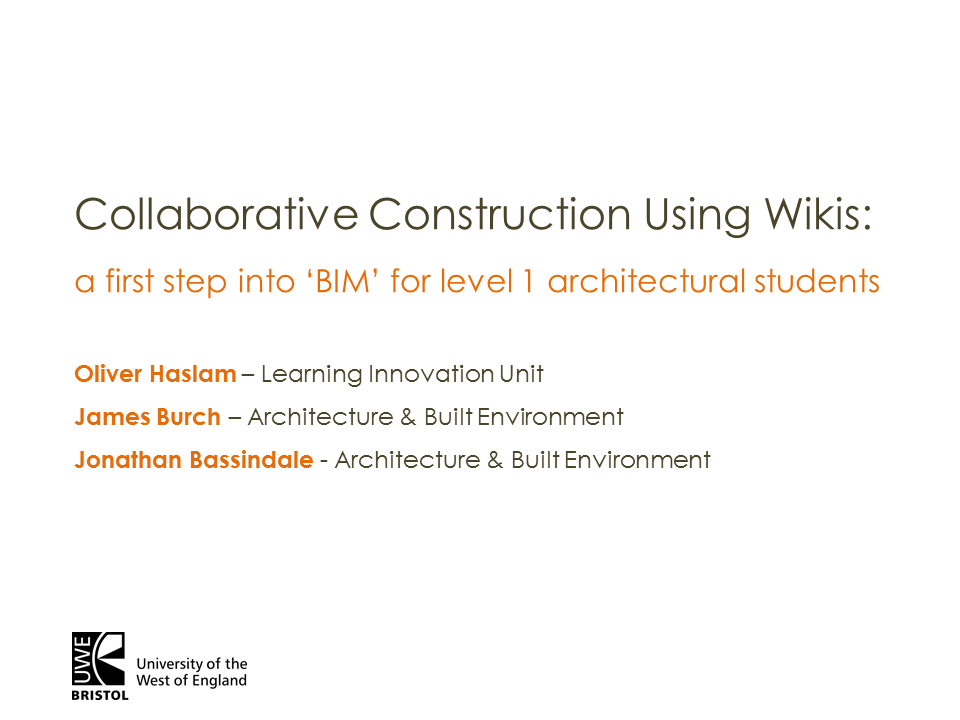
Below is the title slide we used in our workshop.

Title slide for IBEE Conference presentation on wikis


TurningPoint and ResponseWare

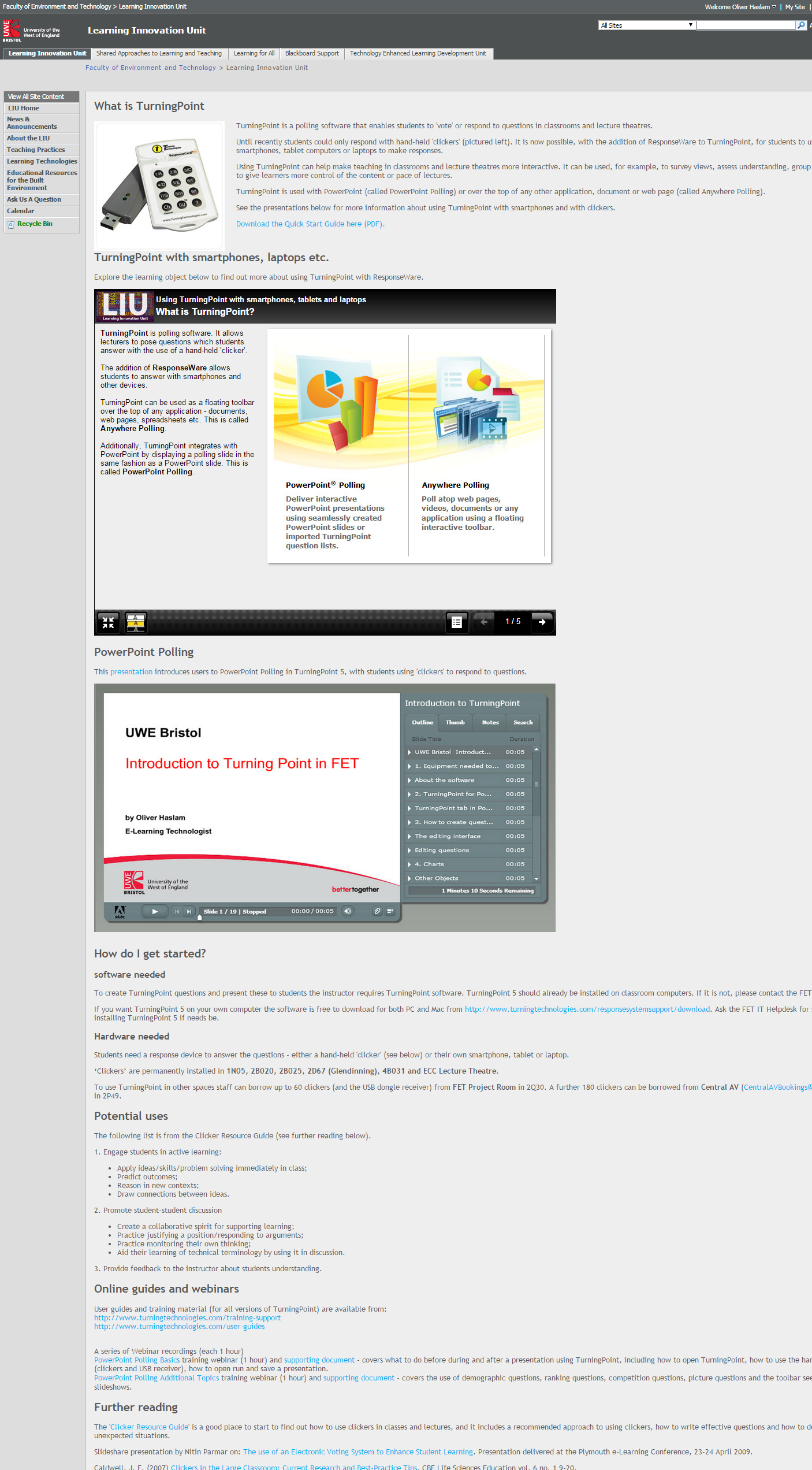
A  presentation I created used to support a departmental staff development workshop.

Powerpoint to support staff development workshop on TurningPoint


Example of a user guide I created for staff.1-Setting_up_a_TurningPoint_exam


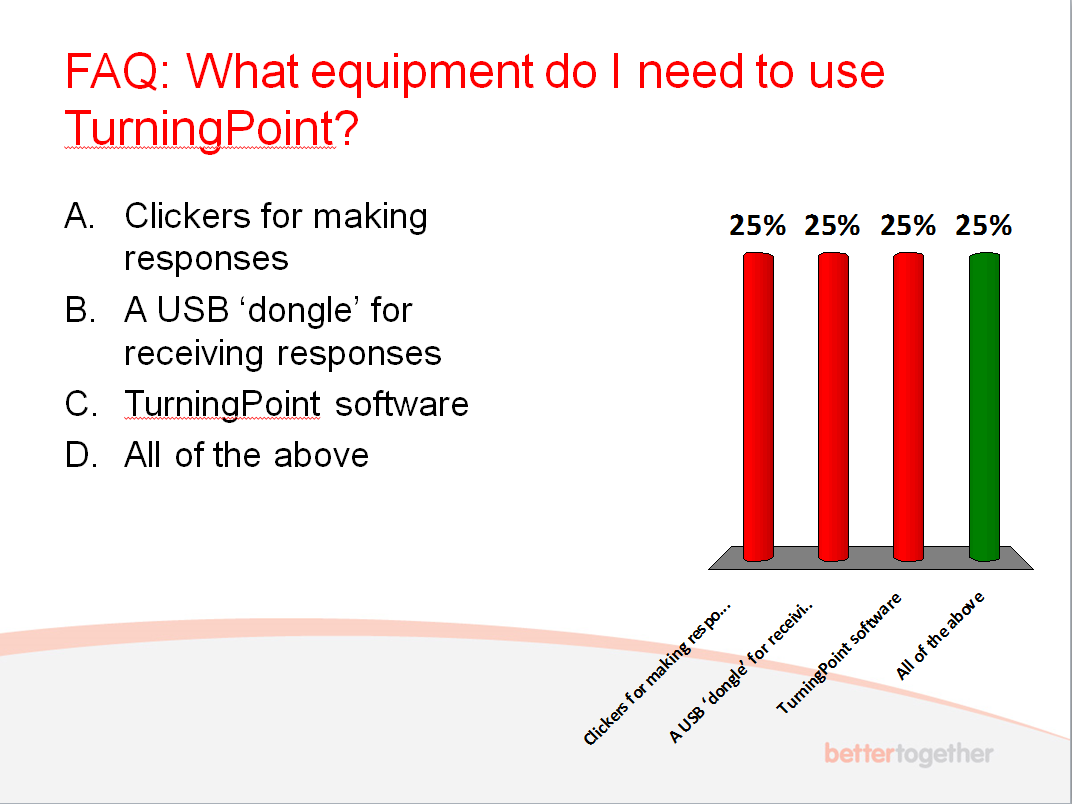
Using TurningPoint in a workshop about using TurningPoint.

TurningPoint-presentation-for-Maths-Department---Spring-2013


Screenshot from video of my presentation on TurningPoint at the faculty’s Shared Approaches to Learning and Teaching (SALT) event.

Raising awareness of TurningPoint/ResponseWare at a faculty learning and teachine event


An advertisement I created to raise awareness amongst staff and students for TurningPoint/ResponseWare.

TurningPoint-ResponseWare-promo-for-big-screens


A page I developed for staff on the Learning Innovation Unit’s (SharePoint) Intranet site.

TurningPoint page on LIU Intranet site


A learning object I developed (in Xerte) to help staff get started with TurningPoint/ResponseWare.


Minutes from a Faculty Board meeting where I presented TurningPoint/ResponseWare

Minutes of a Faculty Board meeting where I showcased use of TurningPoint/ResponseWare in the faculty


Survey of staff to get feedback on use of TurningPoint/ResponseWare in the faculty

A survey which enables staff to provide feedback on use of TurningPoint/ResponseWare


A report (for the previous faculty I worked in, HAS) on the pilot use of TurningPoint for summative assessments

Report-on-using-Turningpoint-for-summative-assessments


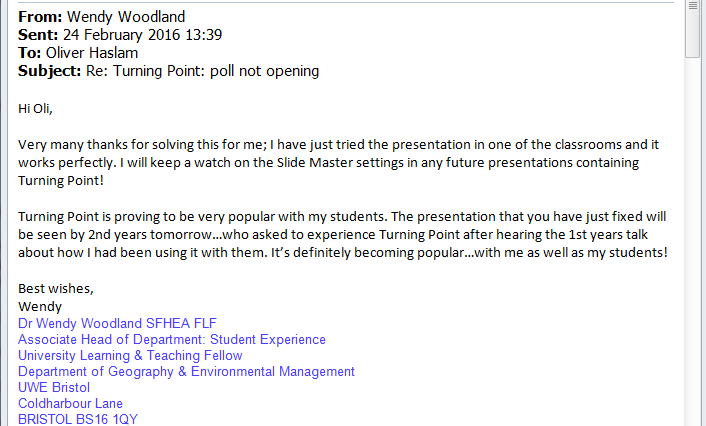
Thanks I received for fixing a problem experienced in TurningPoint plus news that use of the technology is popular amongst students.

Screenshot of email received thanking me for fixing a problem

Copyright and Intellectual Property

I wrote some guidance on copyright in the Blackboard module template I worked on. This information is included inline in every module site in the faculty – so that it cannot be missed by teaching staff.

Copyright guidance in faculty BB template


I wrote a blog post about using images Creative Commons licensed images from Flickr and a simple way to attribute them.

Use images from Flickr – the legal way


I also made a blog post about attributing creative commons licensed photos, in which I included an infographic licensed under Creative Commons.

http://fetliu.net/blog/how-to-attribute-creative-commons-photos/


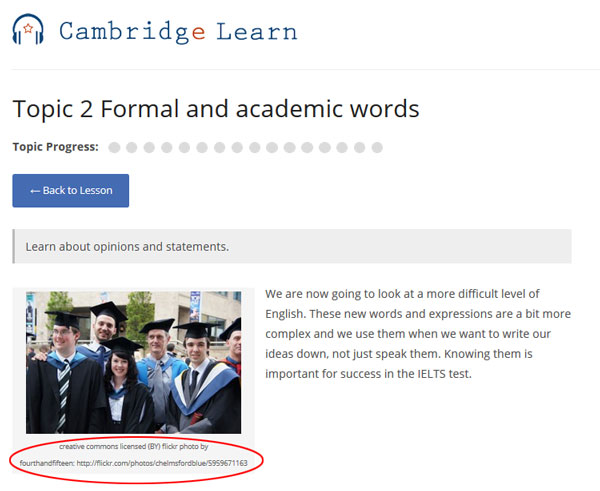
This is an example of an image used on Cambridge Learn. It is licensed for use under Creative Commons  and is attributed accordingly.
An image with a Creative Commons attribution